


Base›Cloud›Rover
Surveying, cadastre and stakeout: the rover gets your base corrections over the internet and works in RTK FIX.
 NTRIP Caster
Stable RTCM corrections from your ROLAVI bases to every rover, so you can work in fixed solution. Monitor your network from a single dashboard.
Live monitoring
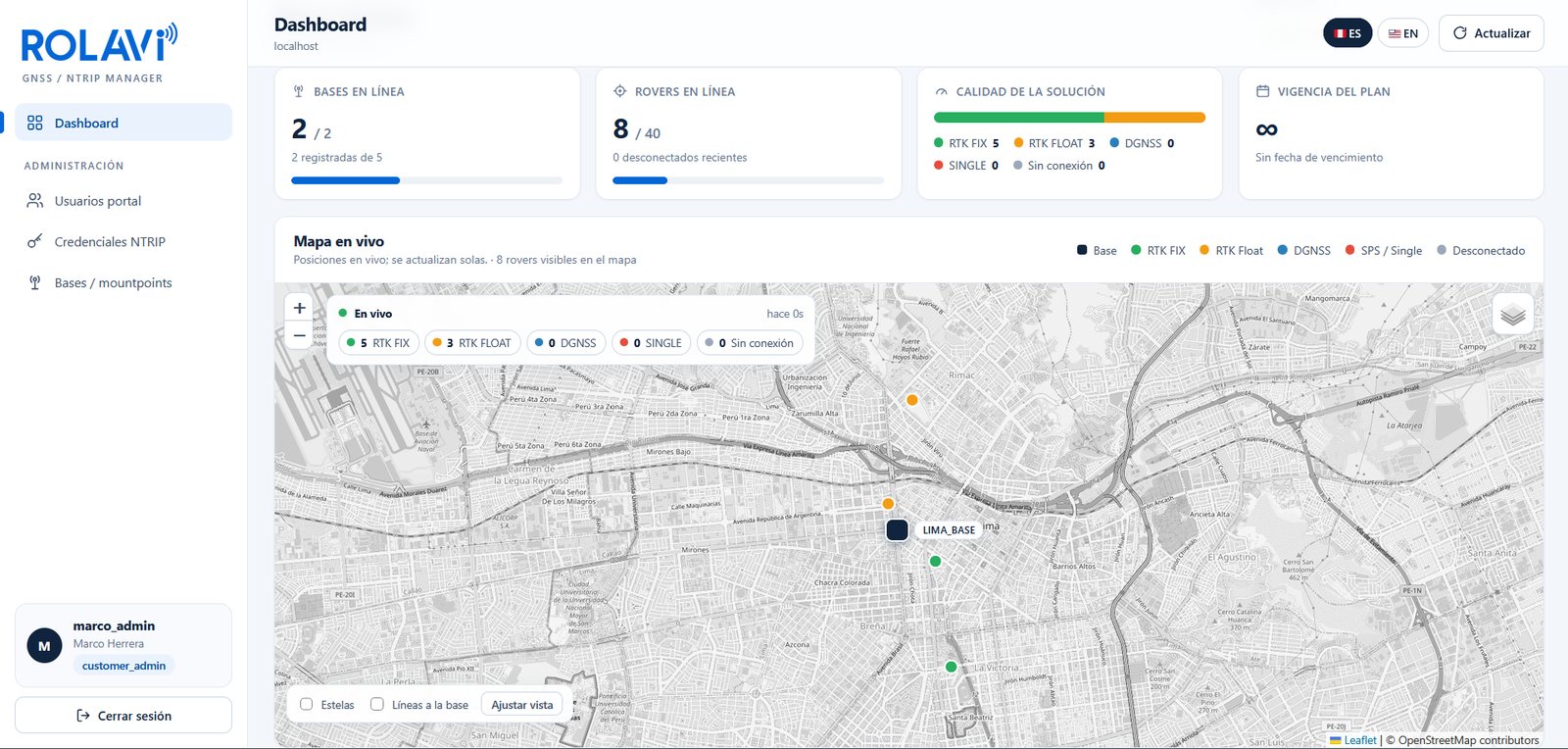
See which bases and rovers are connected, how many are working in RTK FIX, and where they are, all from a single dashboard.
How it works
Your base sends corrections to the caster, and the caster delivers them to every device in the field. No radios or cables in between: just internet.
Surveying, cadastre and stakeout: the rover gets your base corrections over the internet and works in RTK FIX.
Precision agriculture: tractor guidance and auto-steering with corrections from your own base.
Mapping and photogrammetry: the drone receives corrections over the internet to position every shot with centimeter-level accuracy.
One base serves several devices at the same time. Your plan defines how many bases and rovers you connect.
Your setup
The caster is a web application: all you need is a base, a GNSS rover and an internet connection. Just make sure the base and the rover use the same correction format.
Enter the NTRIP credentials on your base station and on your rover.
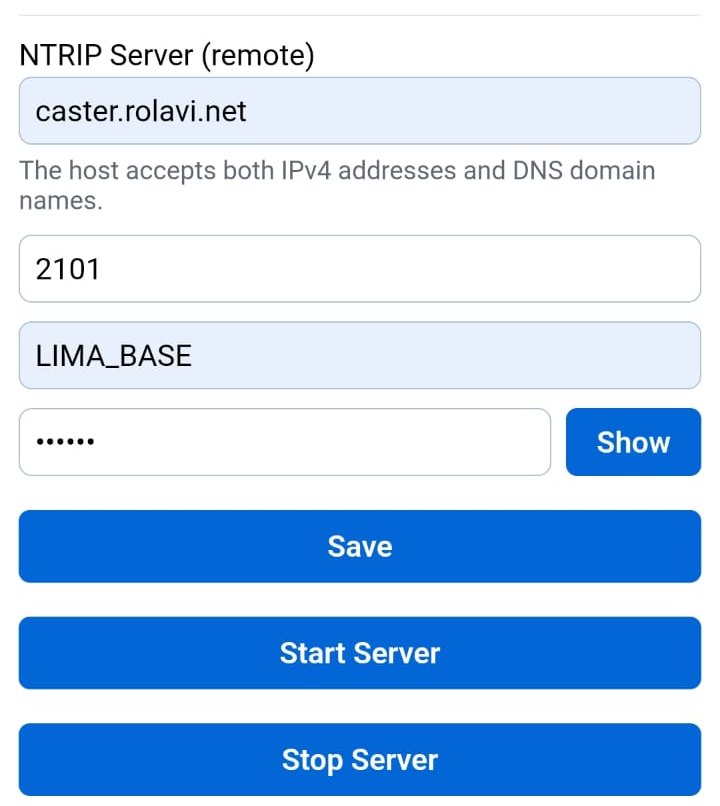
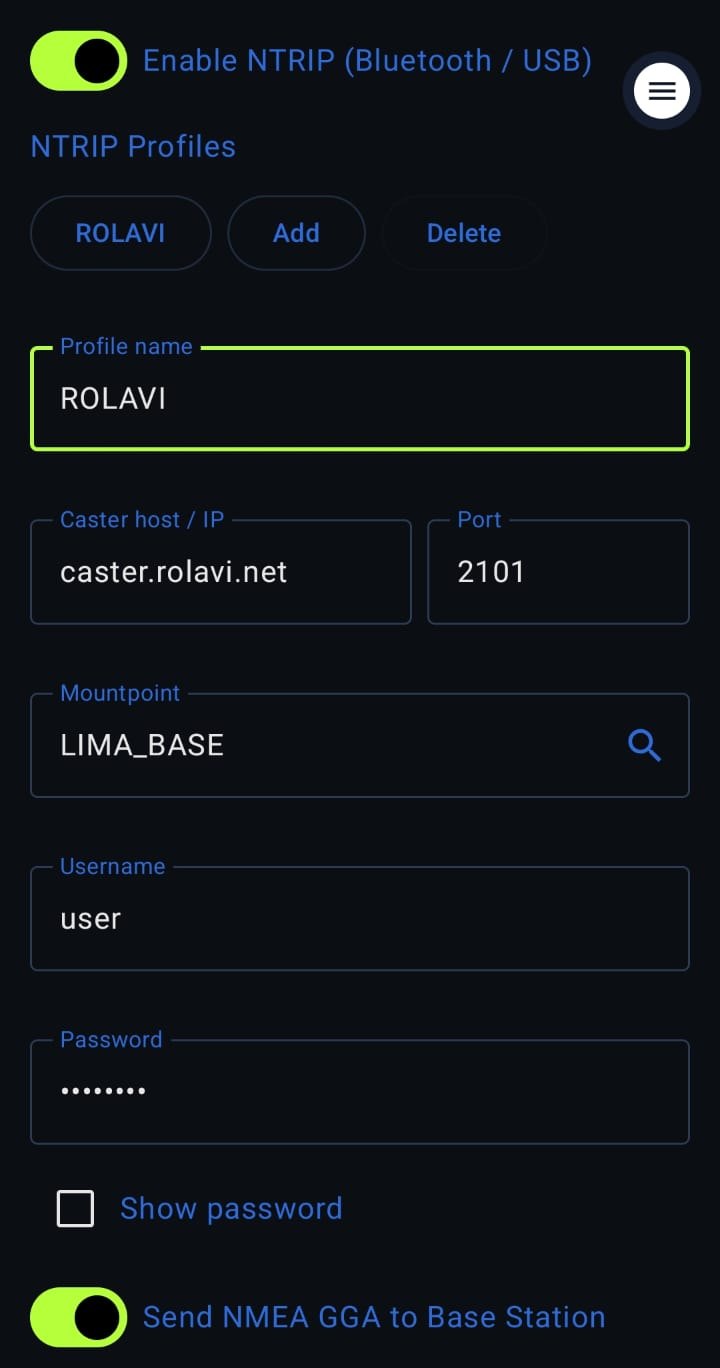
This is the workflow for ROLAVI receivers. If you use another device, email us at contact.rolavi@rolavisurveyor.com. Our application engineers will tell you how to work with the credentials.
Connectivity
To work with NTRIP, your receiver has to get online. There are three ways to do it:
Connect your ROLAVI or other receiver over Bluetooth. It will automatically use your phone’s internet connection.
If your receiver supports SIM cards, insert one and enable mobile data.
Turn on mobile data on your phone and share it as a Wi-Fi hotspot. The ROLAVI will join that network and get internet.
Plan
The plan depends on the number of rovers and bases. If you need more capacity, get in touch.
ROLAVI · caster.rolavi.net